

Mobile App Tracking
Track races using crew smartphones: scan your boat's QR code or enter the 6-digit Entry Code in the SurgeTrac app, configure background location permissions, and start broadcasting.
1. Download App & Scan Boat QR Code
Before racing, download the SurgeTrac app and scan your boat's QR code (or 6-digit Entry Code) from the QR sheet printed by the race organizer:

SurgeTrac for Android
Native Android APK tracking client.
SurgeTrac for iOS
Download directly from the Apple App Store.
2. Phone Permission Settings (Keep Tracking Active When Screen Locks)
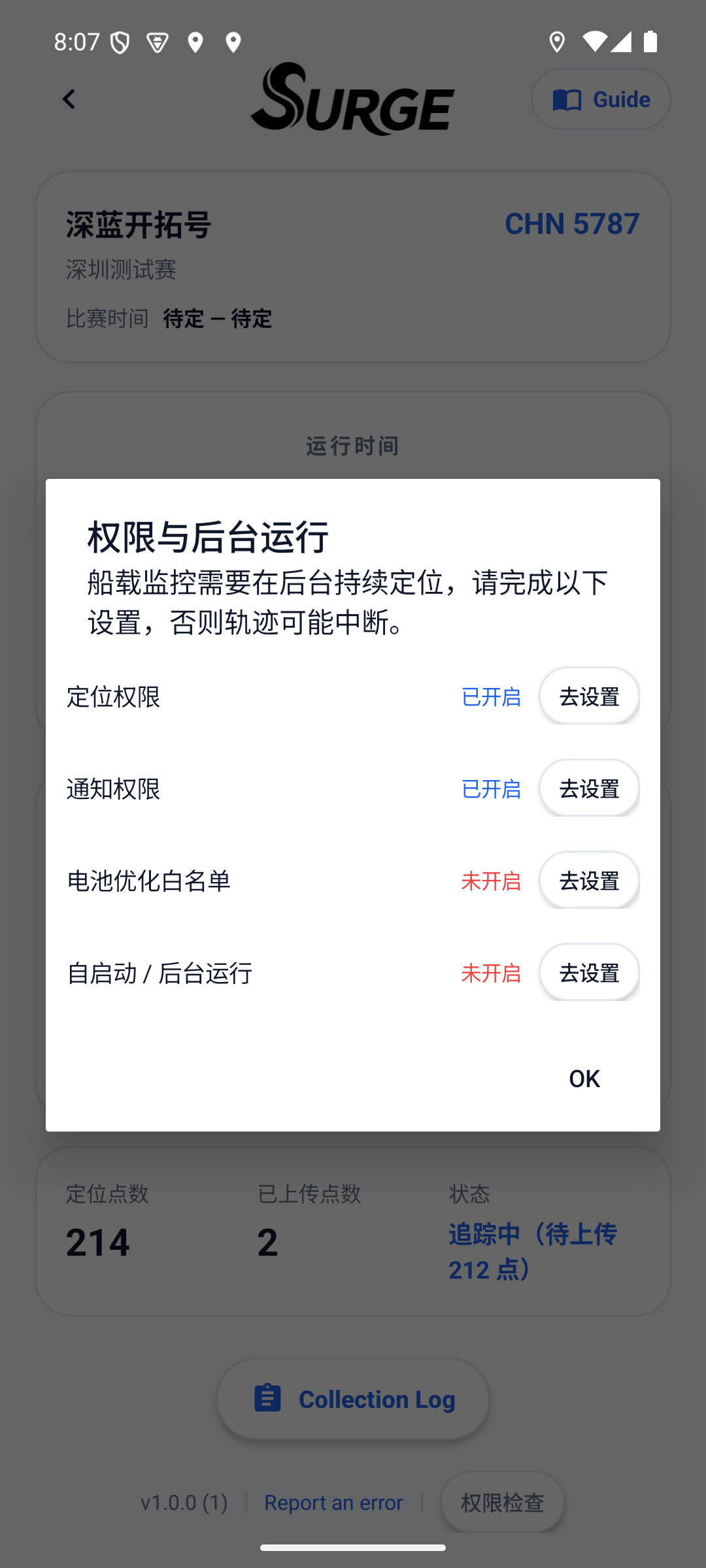
To keep GPS tracking active while the phone screen is locked during the race, check these three settings before leaving the dock:
- 011. Location Permission: set to "Always Allow" (iOS) / "Allow all the time" (Android) and turn ON "Precise Location".
- 022. Turn Off Battery Saver: turn OFF Low Power Mode on iOS, and set battery optimization for SurgeTrac to "Unrestricted" on Android.
- 033. Waterproof Pouch in Open Cockpit: put the phone in a waterproof pouch and secure it in the open cockpit (never inside the cabin). For races over 3 hours, connect a power bank.
3. Primary + Backup Dual-Phone Support
Two crew members on the same boat can scan the same boat QR code. The first phone becomes the Primary tracker and the second becomes the Backup. If the primary phone loses power or disconnects, the system automatically switches to the backup phone.