

Getting Started
Regatta Structure
Understand how a regatta is organized in SurgeRace in five building blocks: Event, Race Sessions, Competing Fleet, Course Marks, and Tracking Devices.
1. How a Regatta is Organized
In SurgeRace, organizing a regatta follows a straightforward structural hierarchy. Instead of complex configurations, every race is built from five connected elements:
How a Regatta is Structured in SurgeRaceEvent ➔ Sessions ➔ Fleet & Marks ➔ Trackers
1. EVENT (赛事容器)e.g. 2026 Club Weekend Regatta
Holds all race sessions, fleet entries, marks and trackers2. SESSIONS
Race Sessions
Multiple races (Race 1, Race 2) inside the event, each with its own start time.
3. FLEET
Competing Fleet
Sail numbers, boat names, and classes participating in the regatta.
4. MARKS
Course & Marks
Start line, rounding marks and finish line defining the race course.
5. TRACKERS
Bind Devices
Link hardware GPS trackers or mobile apps to boats and course buoys.
➔ Live & Post-Race Outputs:Live Web Broadcast · Real-Time Leaderboard · Race Replay · Post-Race Analysis
- 011. Event (赛事概览与基本信息): the top-level container for a regatta (for example, "2026 Autumn Club Regatta"). It defines the event name, dates, racing venue, activity type, visibility (public or private), and fleet quota.
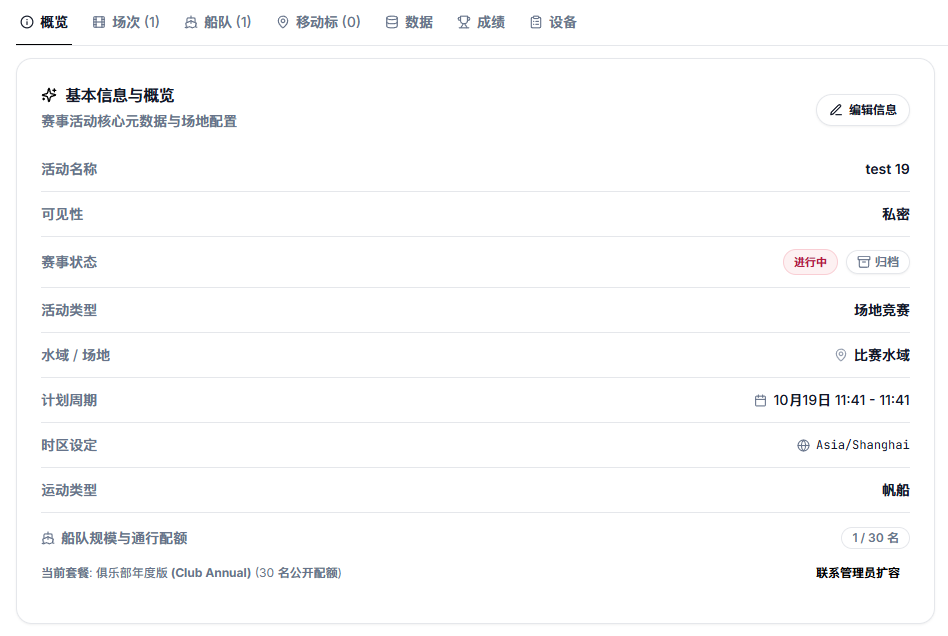
- 012. Sessions (比赛轮次 / 场次): a regatta usually consists of multiple individual races (Race 1, Race 2, Coastal Race). Each Session manages start gun timing, active status (live or finished), publication state, and replay timeline.
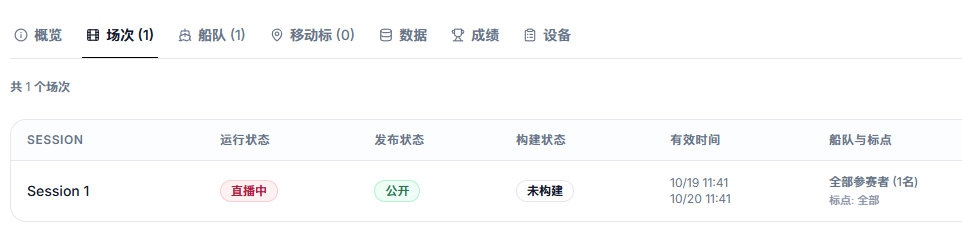
- 013. Fleet (参赛船队): the list of competing boats with their sail numbers, boat names, skipper/crew names, and class divisions (e.g. J80, Fareast 28R, IRC handicap groups).
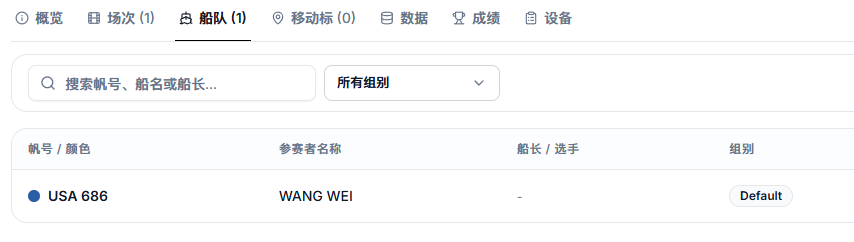
- 014. Course & Marks (航线与动态标): fixed waypoints and GPS-tracked moving buoys (MOVING_MARK) defining start/finish lines and rounding order. Once configured, the system calculates real-time leaderboards and distance gaps.
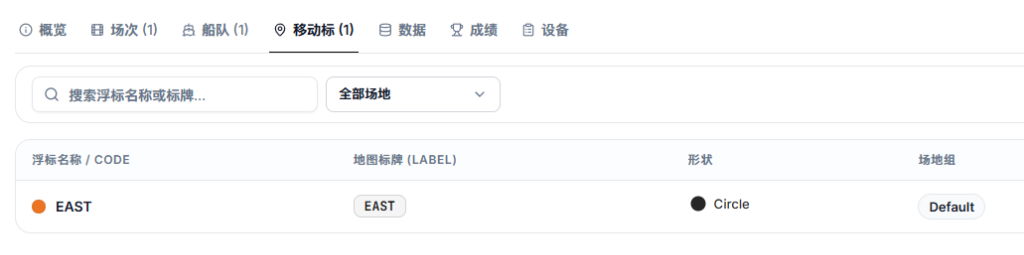
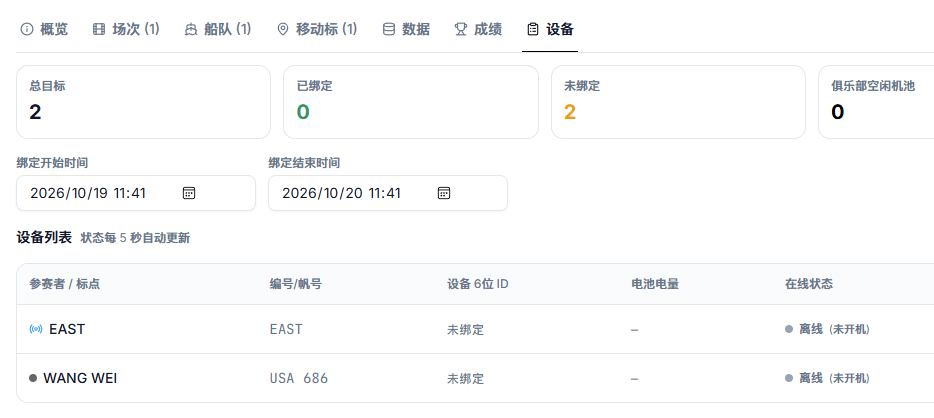
- 015. Tracking Devices (绑定监控设备): link dedicated GPS hardware trackers (or 6-digit crew mobile app entry codes) to boats and course buoys, with real-time battery level and uplink status monitoring.
2. From Setup to Live & Replay
Once these five elements are in place, the system handles the live broadcast and post-race analysis automatically:
- 01Before the race: create the Event, import the Fleet list, set up Sessions, and bind trackers to boats and buoys.
- 02During the race: record the start gun time for the active Session. The web viewer immediately displays live boat trails, mark positions, and real-time rankings.
- 03After the race: mark the Session as finished. Spectators and coaches can immediately scrub the timeline replay and inspect start, leg, and maneuver analysis.