
Event Ops
In-Race Coordination
Step 4 of Event Operations: learn the Mobile Tracking Best Practice (1 tracking phone on the starting boat + manual mark placement for all other marks) vs. Hardware Buoy Tracking, and how operations staff edit start times and mark positions.
1. Best Practice for Mobile Tracking vs. Hardware Buoy Tracking
How you position the start line and rounding marks during racing depends on whether you are running a Mobile Phone regatta or a Hardware Tracker regatta:
- 01Mobile Phone Tracking Best Practice (1 Tracking Phone on Starting Boat + Manual Marks for All Others): in a mobile-tracked race, you do NOT need to tie phones onto inflatable buoys. Simply place ONE tracking phone (or tracker) on the Starting Boat (RC signal boat) and bind it to the RC boat mark so the start boat's GPS position is locked automatically. All other course marks (Mark 1, gate marks, pin end) are manually marked on the backend map by the operations staff based on the course bearing/distance or coordinates reported by the RC boat.
- 02Hardware Tracker Mode (Trackers Tied Onto Physical Buoys): in a hardware-tracked race, the mark boats tie dedicated waterproof trackers onto each physical buoy (Mark 1, gate marks, pin end) and the RC boat. As buoys are dropped or moved on the water, their live GPS positions update in the backend automatically.
2. RC Boat Sends Course & Start Time to Operations Staff
During racing, the water team on the Race Committee boat only needs to report two things via VHF radio or WeChat for each race session:
- 011. Course Info (and Buoy Bearing/Distance for Mobile Mode): which course is active, how many laps, and (in Mobile Mode) the windward mark bearing/distance or coordinates so the operator can place the manual marks.
- 022. Exact Start Gun Time: the exact time (hour:minute:second) when the starting signal fired for the current session.
3. Operations Staff Edits Start Time & Buoy Positions in Backend
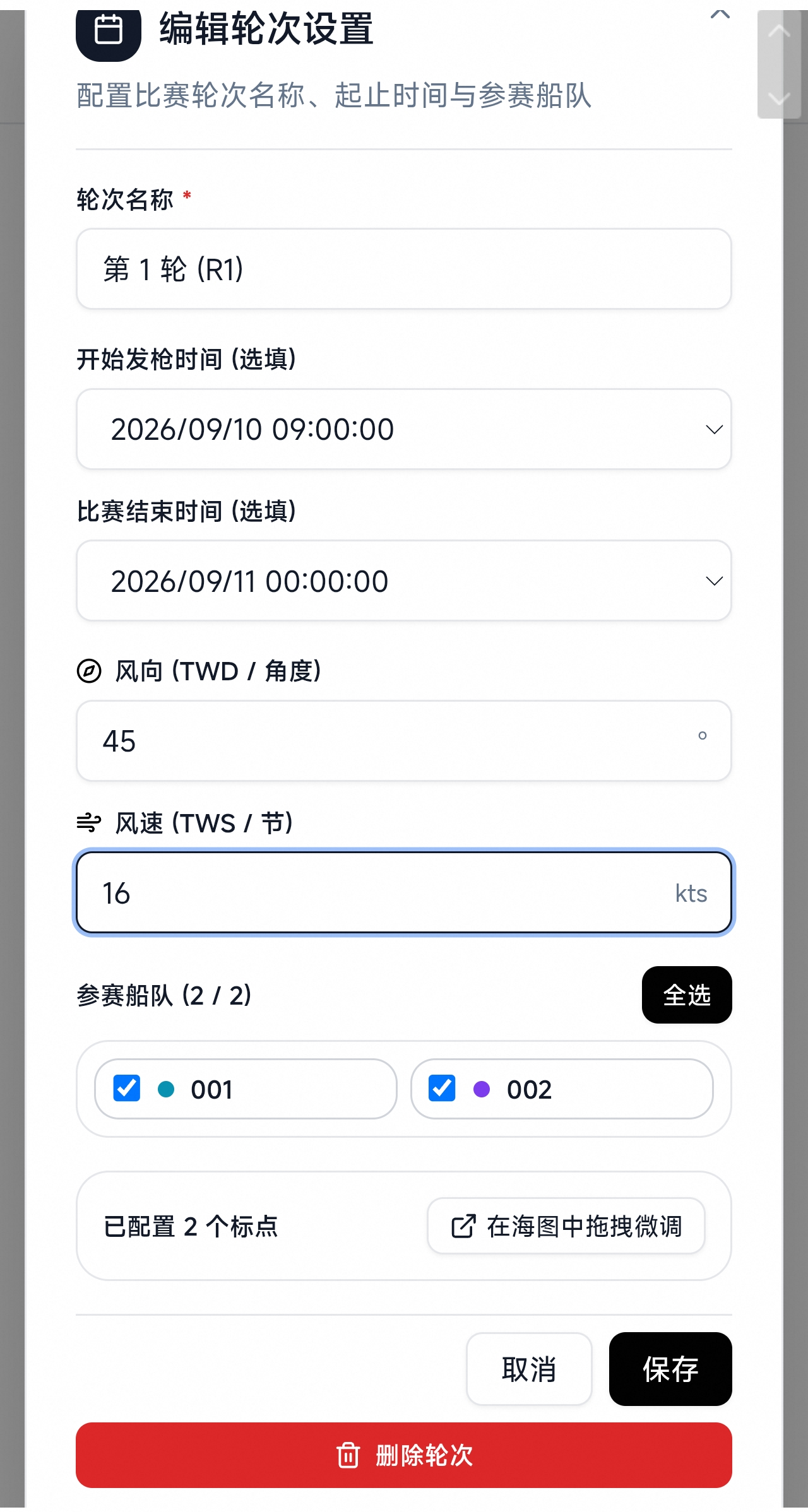
- 01Edit Start Time: open the active Session (e.g. Race 1) in the backend and enter the exact Start Time reported by the RC boat. Saving immediately activates the race timer, start-line analysis, and live leg rankings on the broadcast screen.
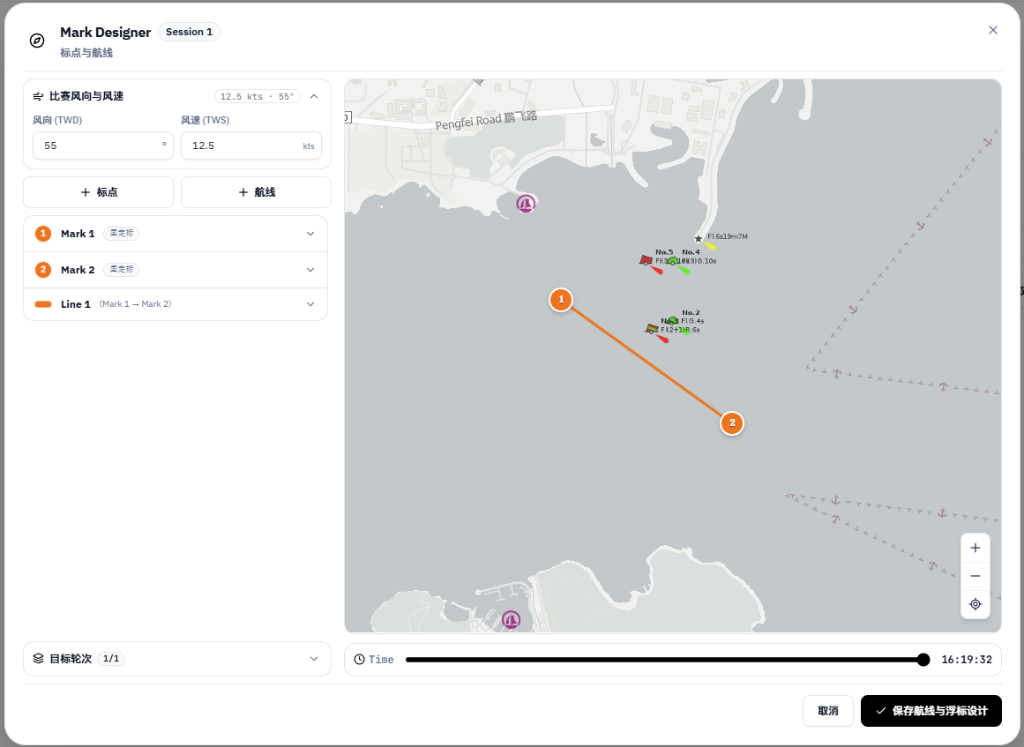
- 02Edit Buoy Positions (Manual Placement or Tracker Sync): in Mobile Mode, the Starting Boat position is already locked by its tracking phone, and the operator drags/places the remaining marks (Pin, Mark 1, Gate) onto the map (and can fine-tune them against the fleet's rounding tracks). In Hardware Mode, click to confirm/sync the live buoy tracker coordinates.
- 03Back-to-Back Next Race (Race 2): when Race 1 finishes and the RC boat starts Race 2, simply switch to the Race 2 session in the backend and enter the new start time—devices on boats and the starting boat keep running without any re-pairing.