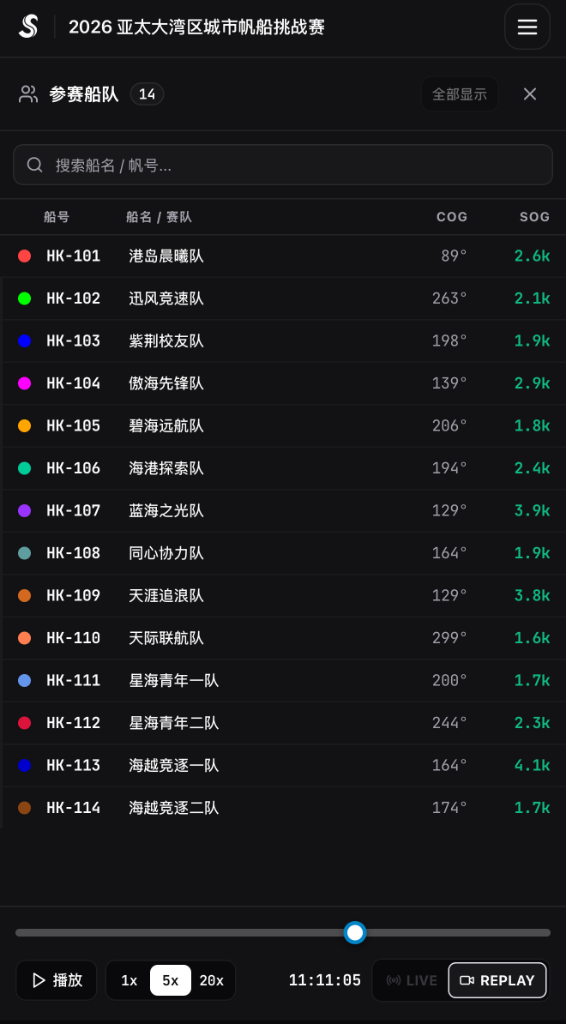

Device Setup & Check
Steps 2 & 3 of Event Operations, clearly separated into Mobile Phone Mode (print QR sheet + crew scan + 1 phone for starting boat) and Hardware Tracker Mode (assign from club pool + dockside pickup + overnight charging), verified on the operations big screen.
1. Mode A: Mobile Phone Tracking Workflow (Print QR Sheet & Crew Scan)
When your regatta uses crew smartphones running the SurgeTrac app, no hardware inventory assignment, dockside handout, or overnight charging is needed:
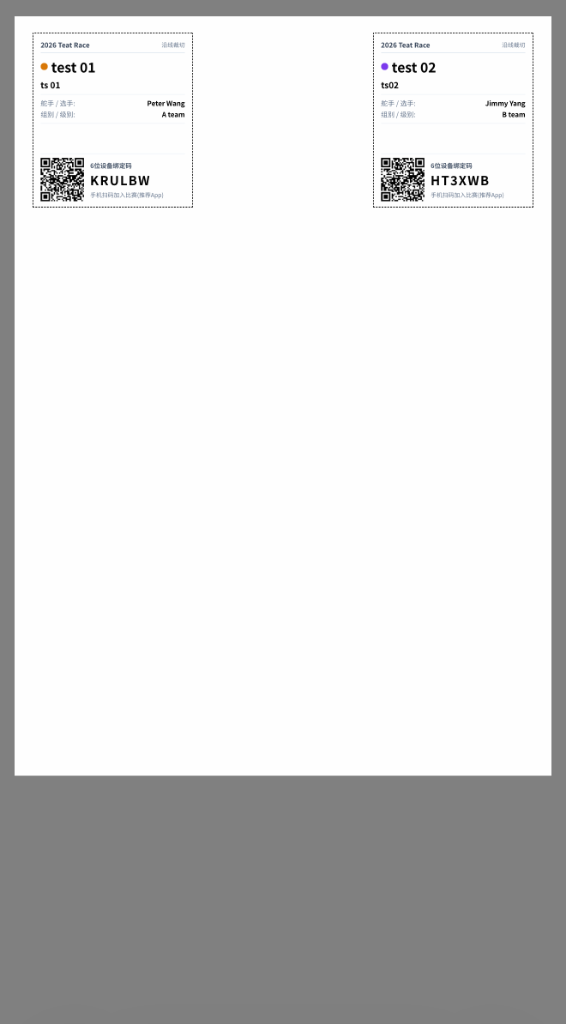
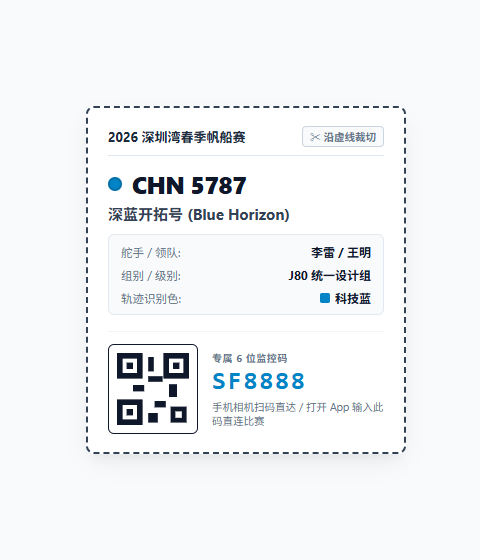
- 011. Print Fleet QR Code Sheet ( plus Starting Boat QR): in the backend fleet page, export and print the Fleet QR Code Sheet (pairing cards). Each boat gets a dedicated QR code and 6-digit code. Also print one QR code for the Starting Boat (RC vessel) so the committee boat can be tracked on the water.
- 022. Pre-Race Crew Scans QR Code: 30–60 minutes before launching, one crew member (or two phones for primary + backup) opens the SurgeTrac app, scans their boat's QR code, confirms their sail number, and taps Start Tracking.
- 033. Put One Tracking Phone on the Starting Boat: a race official on the Starting Boat (RC vessel) scans the Starting Boat QR code so the start line's boat end is tracked live.
2. Mode B: Hardware Tracker Workflow (Assign, Hand Out by Screen & Return to Charge)
When your regatta uses dedicated GPS hardware trackers from your club pool, follow this three-stage loop (assign before event ➔ hand out before launch ➔ collect ashore and charge overnight):
- 011. Assign Devices from Club Pool & Check Screens: take fully charged trackers from your club's available device inventory, batch-assign them to each competing boat and each course buoy in the backend, and power them on to verify that every tracker's built-in screen displays the assigned sail number or buoy label.
- 022. Pre-Race Handout at Dock: before launching, crews pick up their boat's already-powered tracker at the equipment desk (reading the sail number on screen) and zip-tie it to the stern rail; the mark boat takes the buoy trackers out to the course.
- 033. Ashore Collection & Overnight Charging: when boats return ashore at the end of the day, collect all boat and buoy trackers at the dock and plug them into the charging case overnight. Next morning, power them on and hand them back out directly (no need to re-assign in the backend).
3. Operations Big Screen Check (Verify All Boats Are Picked Up & Online)
In both Mobile Mode and Hardware Mode, operations staff use the backend Fleet Telemetry monitoring screen before the warning signal to confirm fleet readiness:
- 01Watch the Monitoring Big Screen: open the Fleet Telemetry view in the backend (or the `/check` board). Every boat and buoy that has scanned in or powered on turns green with its live battery level and GPS status.
- 02Remind Any Un-Activated Boat Before Launch: if a boat is still gray (offline) before leaving the dock, remind that crew immediately to scan their QR code or pick up their tracker.