
Event Ops
Post-Race & Scoring
Step 5 of Event Operations: operations staff check data completeness, enter race scores in the Results system, replay the race process, and run technical analysis.
1. Operations Check: Verify Tracks, Replay & Equipment Return
- 011. Check Track Completeness & Course Alignment: after boats return to the dock (where cellular coverage is strong), operations staff check the backend to confirm all boats have finished uploading any buffered offshore points, and verify that start times and buoy positions match the race.
- 022. Collect & Charge Hardware Trackers: if using hardware trackers, collect all boat and buoy trackers as crews come ashore, check off sail numbers via the built-in screens, and plug them in to charge.
2. Enter Official Scores in the Results System
Once a race finishes, you can use the built-in Results scoring system to record and publish official standings:
- 01Import or Enter Finishing Order: import track-estimated crossing times as a draft or enter the Race Committee's finish sheet directly.
- 02Apply Penalties & Publish Standings: enter any penalty codes (such as OCS, DNF, DSQ, RET), apply handicap ratings or series discard rules if needed, and export/publish the official results sheet.
3. Watch Race Replay & Run Technical Analysis
After the operations staff confirms the session data, sailors, coaches, and spectators can review the race from any browser:
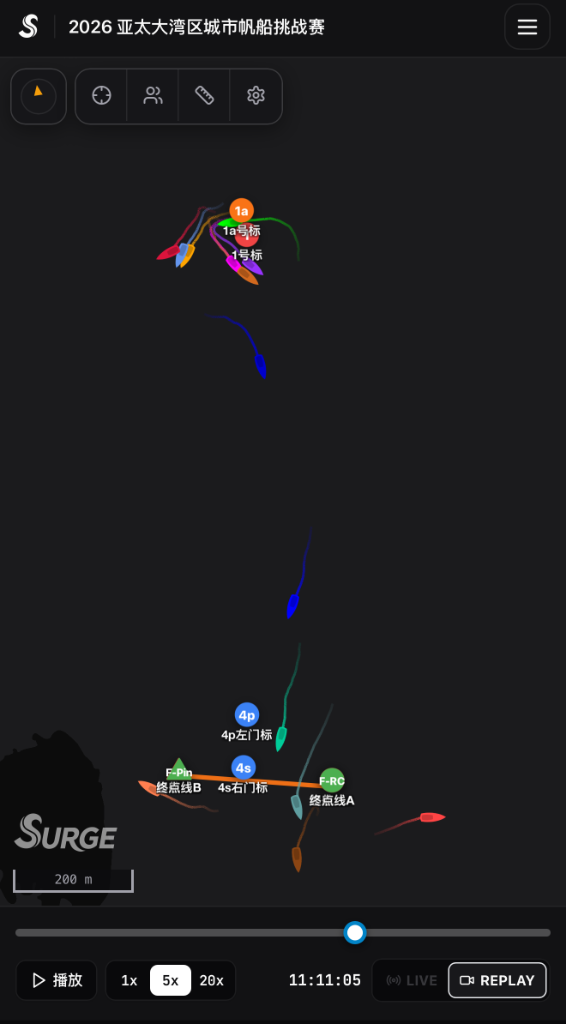
- 01Watch Multi-Speed Race Replay: drag the timeline scrubber and play back the entire race at 1x–20x speed to review start positioning, tactical lane choices, and mark roundings.
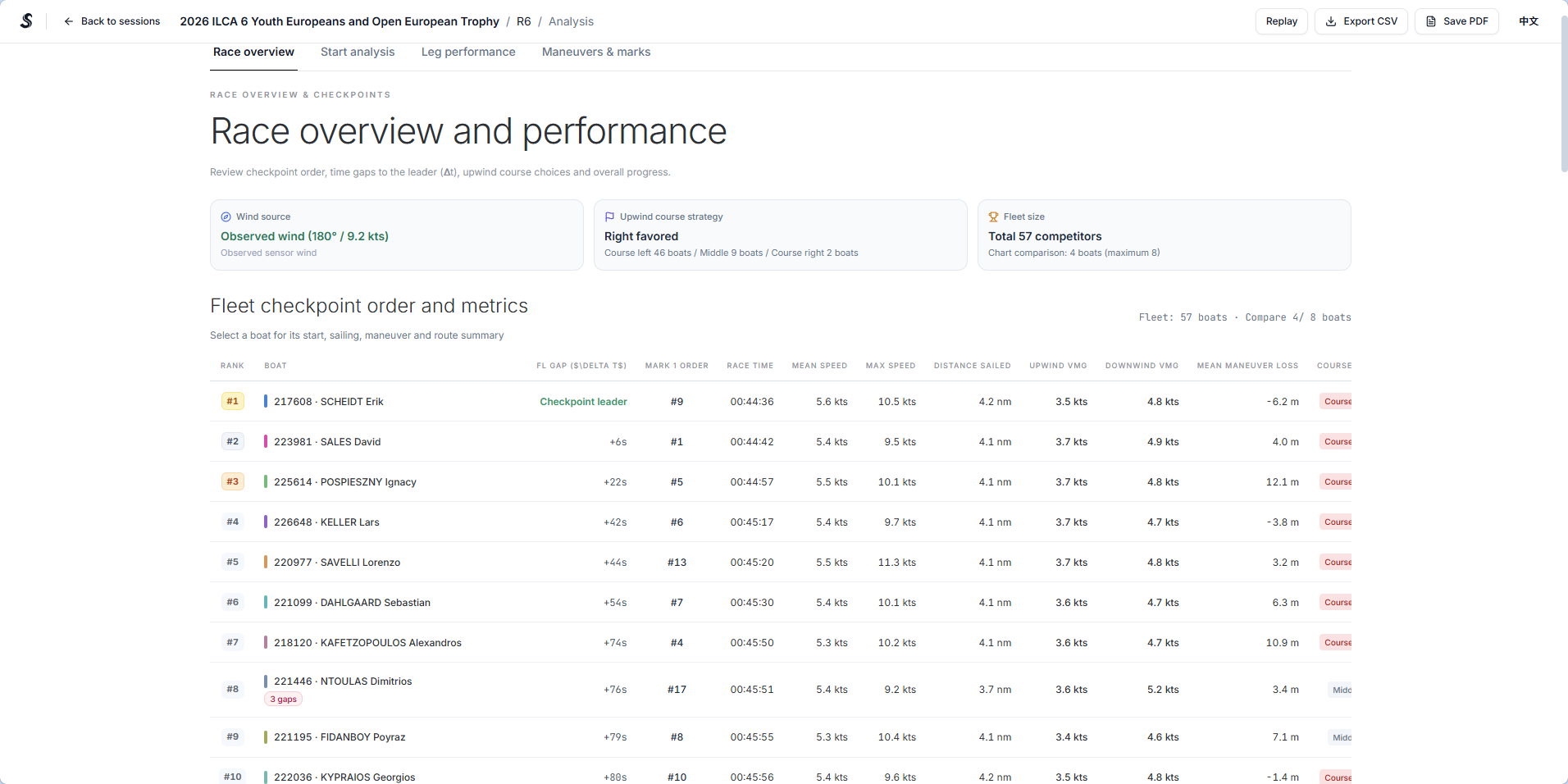
- 02Technical Performance Analysis (Analysis): open the Session Analysis report to compare start time-to-line (TTL), upwind/downwind speed and VMG, extra distance sailed, and speed loss during tacks and gybes.